 ExploreZone
For the team
Write blog articles
Write, preview, schedule and publish articles that appear on the website and help people find ExploreZone.
What the blog is for #
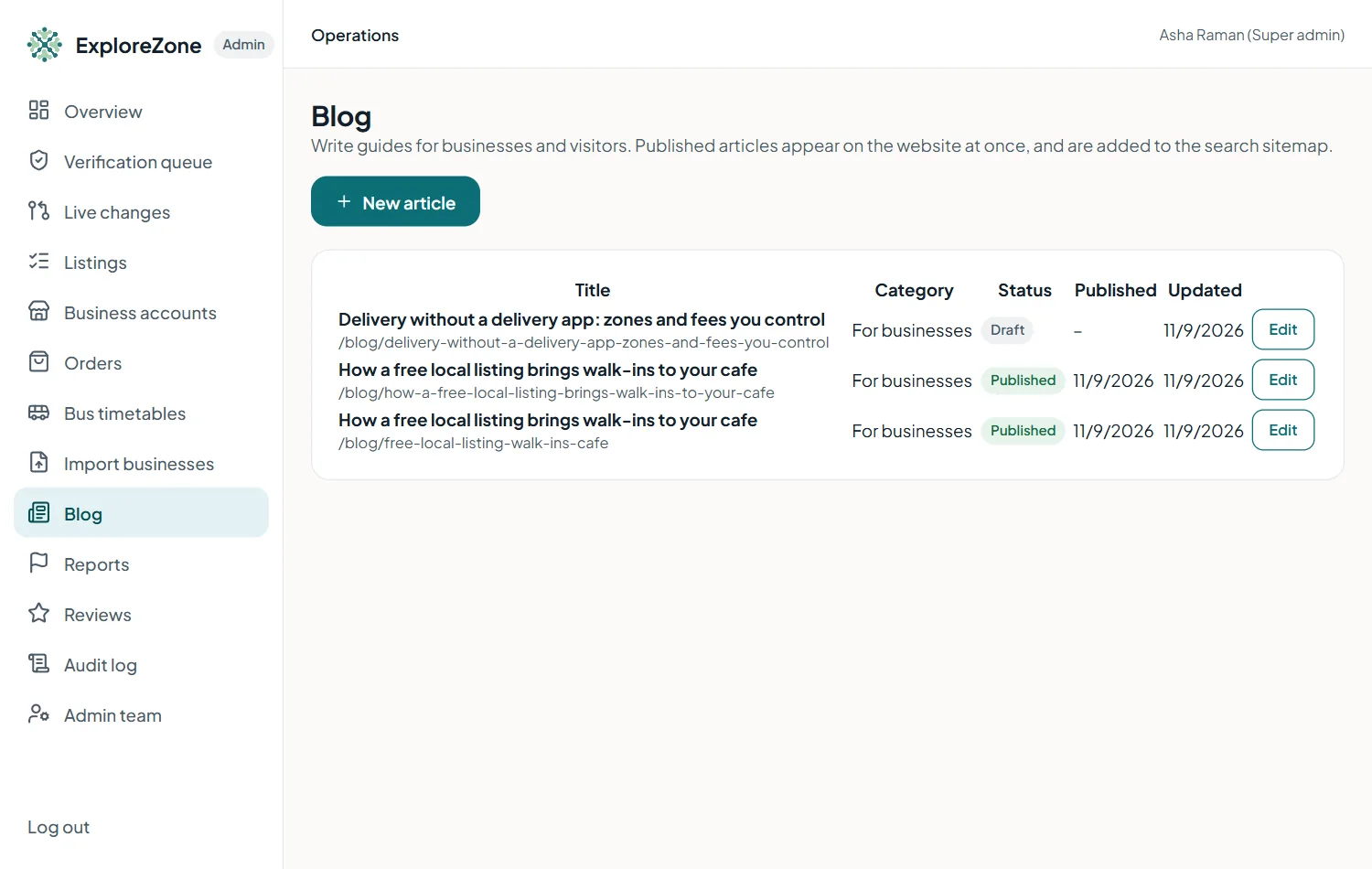
The blog brings new visitors from Google. Write guides for businesses ("how to get found") and for visitors ("getting to the beaches by bus"). Articles appear at /blog on the website and are added to the sitemap automatically.
Write an article #
- Open Blog and press New article.
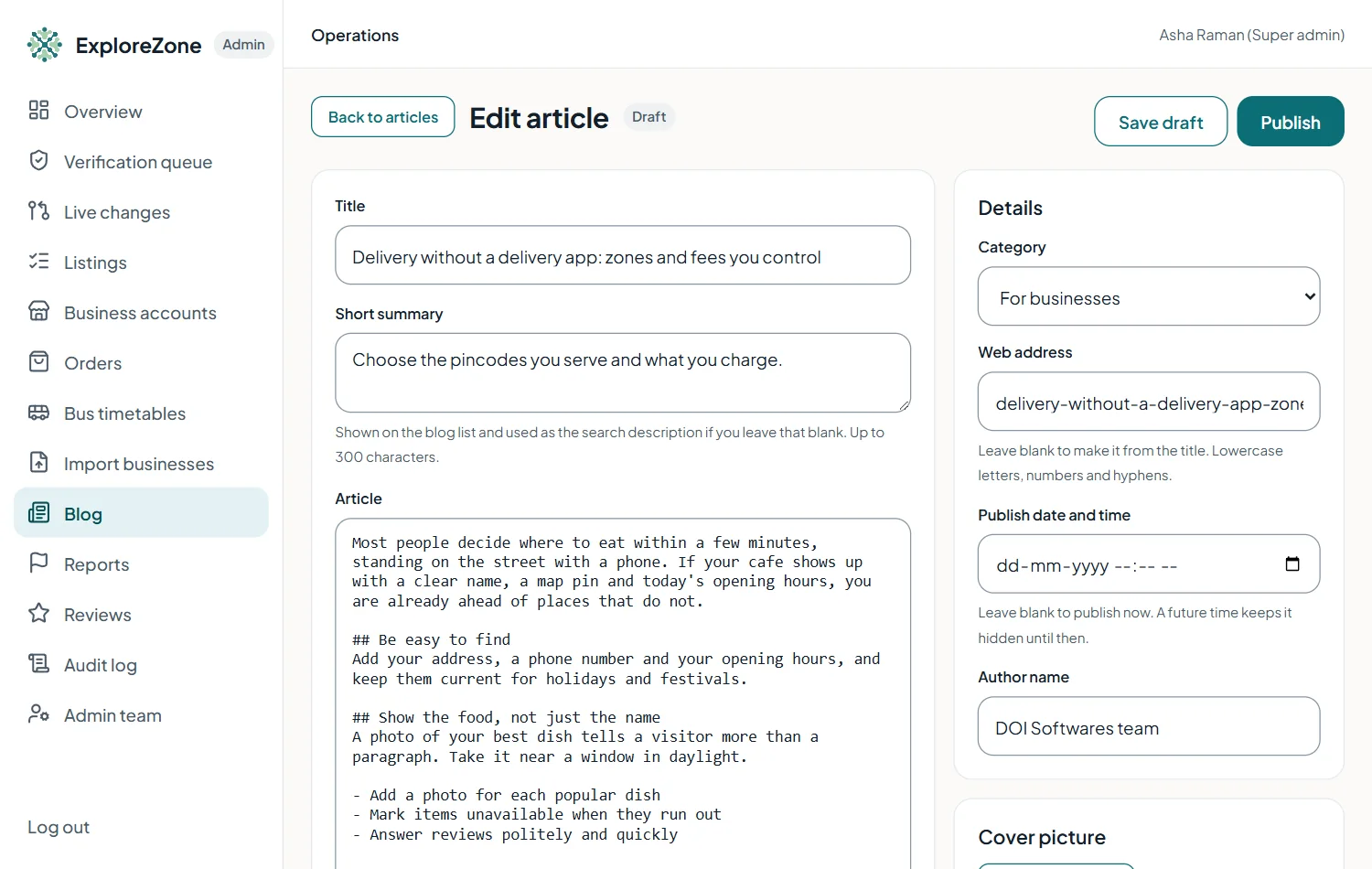
- Type the title, a short summary and the article. Use
## Headingfor a section,- itemfor a list,boldandlink text. - Press Preview to see how it will look.
- Choose the category (for businesses, for visitors, product news).
- Fill the search title (up to 60 characters) and search description (up to 155). The box shows how it may look on Google.
- Press Save draft to keep it private, or Publish.
Pictures, scheduling and unpublishing #
- Add a cover picture after the first save (Add a picture) and describe it.
- Pick a future date and time to schedule an article. It stays hidden until then.
- Unpublish (save as draft) removes it from the website and the sitemap.
- Articles need at least 30 words to be published.
Writing well #
- One question per article. Use the words people search for.
- Short sentences. Real facts only: never invent numbers, prices or business names.
- Finish with a next step: list your business, or get the app.
See SEO and accounts to set up and the project's SEO_AND_LISTINGS.md for the full plan.
Last updated 2026-11-15. Something unclear or out of date? Write to hrdoisoftwares@gmail.com or call 6383281461.