 ExploreZone
Receive cab and guide requests
For drivers and guides: how requests arrive, how to accept or decline, and what the customer sees.
Register #
Register a business of type Cab or taxi driver or Local guide or tour. Complete the listing like any other business (photos, hours, details, a description of what you offer). Our team verifies it and asks for your permit or registration before it goes live.
How requests arrive #
When a customer sends a request, you get an email and a notification. Open Cab and guide requests in the portal.
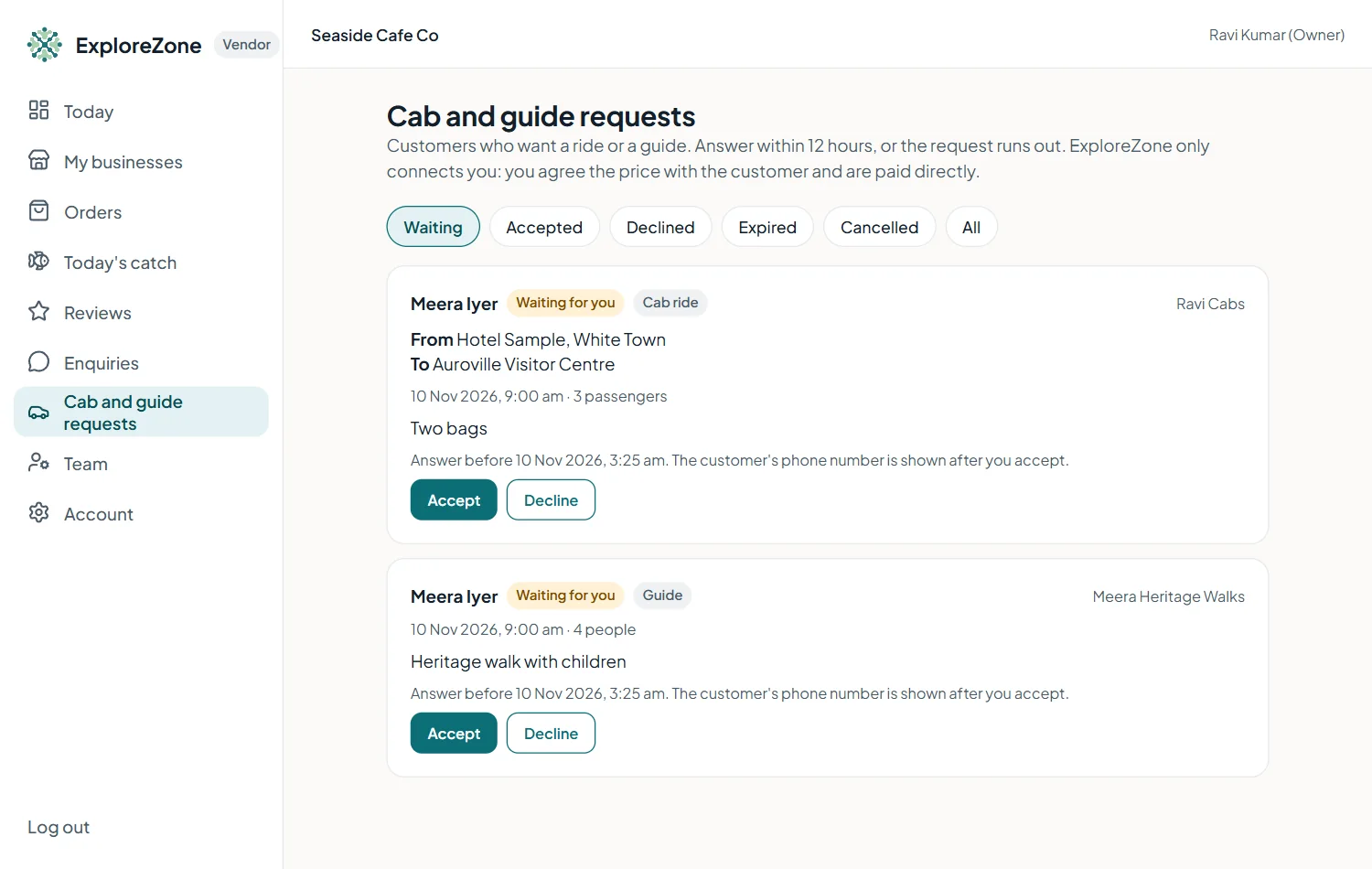
A request shows the customer's name, the time, the number of passengers or people, a note, and for a cab, the pick-up and drop-off. The customer's phone number is hidden until you accept.
Answer within 12 hours #
- Accept: add an optional note, for example "About 600 rupees, I will call you". The customer now sees your phone number and a Call button, and you see theirs.
- Decline: add an optional reason. The customer can ask someone else.
If you do not answer in 12 hours (or before the requested time, if that is sooner), the request ends and the customer is told.
Price and payment #
ExploreZone does not set fares and does not take payment. Agree the price with the customer by phone, and be paid directly.
Last updated 2026-11-15. Something unclear or out of date? Write to hrdoisoftwares@gmail.com or call 6383281461.