 ExploreZone
For the team
Manage the staff team
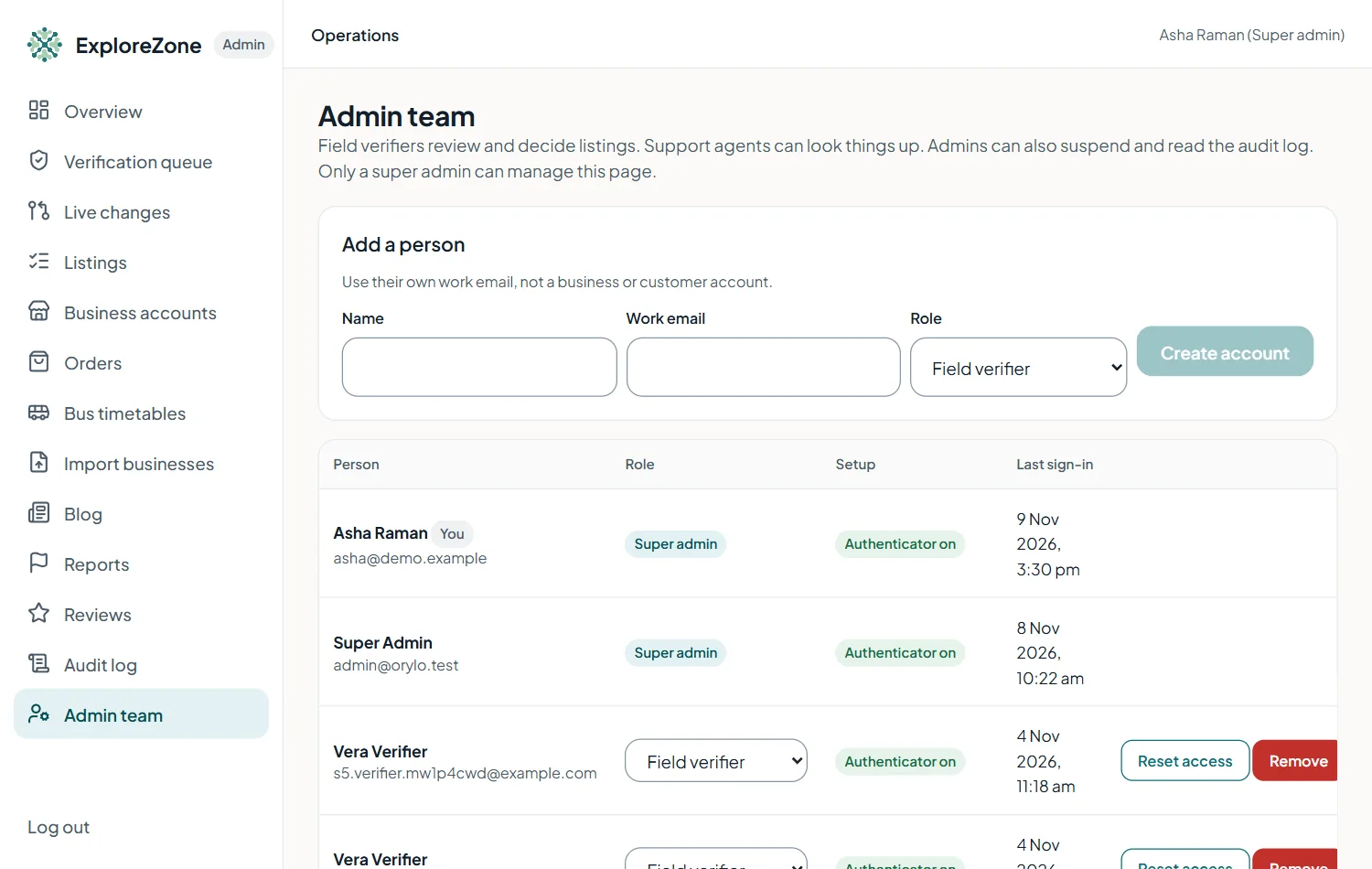
For super admins: create staff accounts, change roles, reset access and remove people.
Create an account #
- Open Admin team and fill in the person's name, email and role (field verifier, support agent or admin).
- Press Create account.
- A temporary password is shown once. Copy it and give it to the person safely (not in a public chat). They set their own password and authenticator at first login.
Change a role #
Use the role list next to the person's name. The change takes effect at once on the server. Give the smallest role that is enough. Super admin accounts cannot be created or changed here: they are created from the server (see Operations).
Reset access #
If someone loses their phone or password, press Reset access. A new temporary password is shown once, and they set up the authenticator again.
Remove access #
Press Remove next to the person when they leave the team. They are signed out at once and can no longer use the admin portal. All their past actions stay in the audit log.
Last updated 2026-11-15. Something unclear or out of date? Write to hrdoisoftwares@gmail.com or call 6383281461.