 ExploreZone
Your account, notifications and privacy
Manage your addresses, notifications and data, and delete your account if you want to.
Profile #
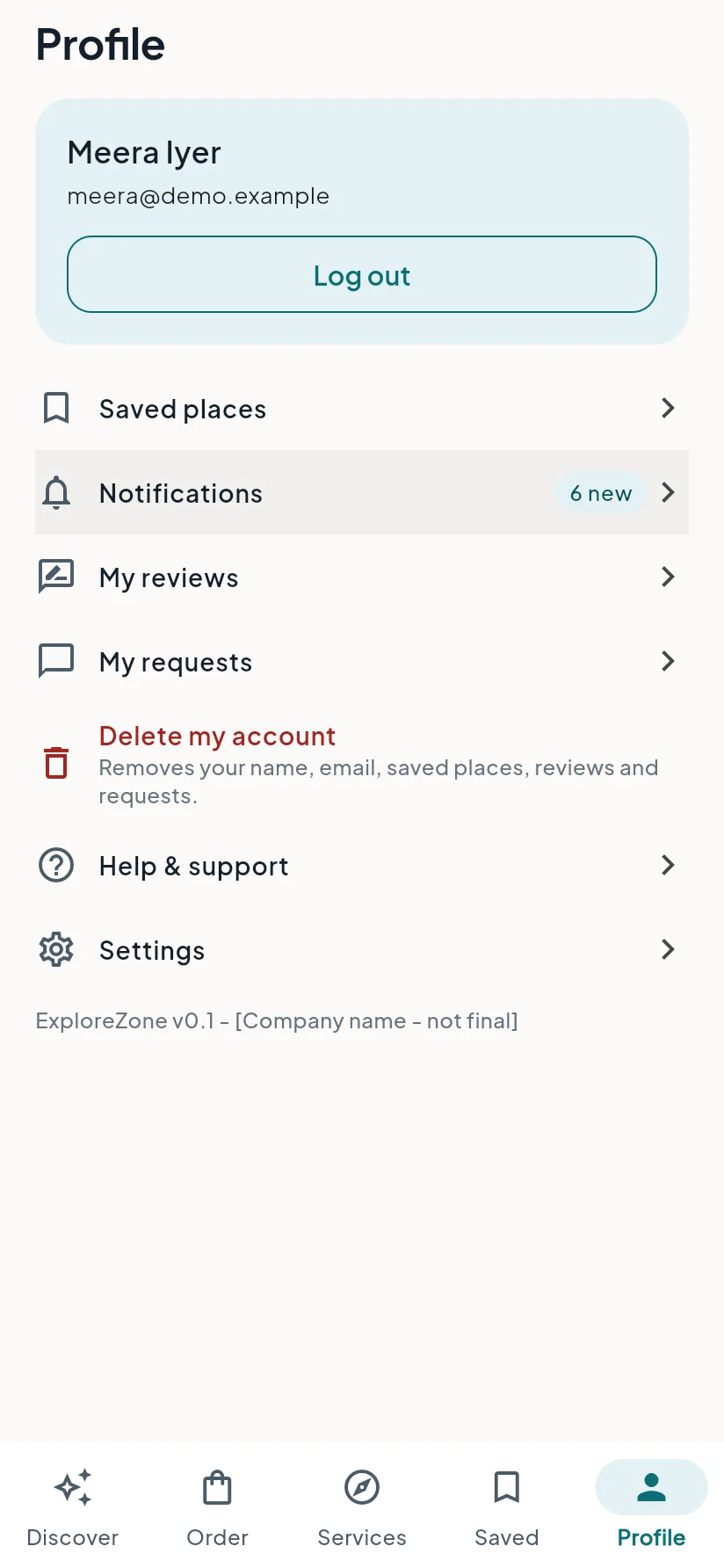
Open Profile to reach:
- Saved places: the places you saved with the heart.
- Notifications: updates about your orders and requests. Open Settings to choose which ones you want, in the app and by email.
- My reviews: the reviews you wrote, which you can edit or delete.
- My requests: your questions to businesses and your cab and guide requests.
- Help & support and Settings.
- Delete my account.
Your name and email address are shown at the top, with the Log out button. Your orders are in the Order tab, under My orders.
Delivery addresses are added when you order: tap Add an address at checkout. Delivery works by pincode.
Your data #
ExploreZone keeps what it needs: your name, email address, optional phone number, your orders, reviews, saved places and requests. A business sees your name, phone number and delivery address only for orders you place with it, and the address only after the business accepts the order. Read the full privacy policy.
Delete your account #
You can delete your account at any time.
- Open Profile.
- Tap Delete my account (it is the red entry) and confirm.
Your name, phone number and addresses are removed. Past orders stay in the business's records without your name, phone or address, because the business must keep its sales records. You can also follow the steps on the delete account page or write to us.
Last updated 2026-11-15. Something unclear or out of date? Write to hrdoisoftwares@gmail.com or call 6383281461.