 ExploreZone
Using the app
Find places and read the details
Browse beaches, cafés, shops and services, and see opening hours, photos and directions.
The five tabs #
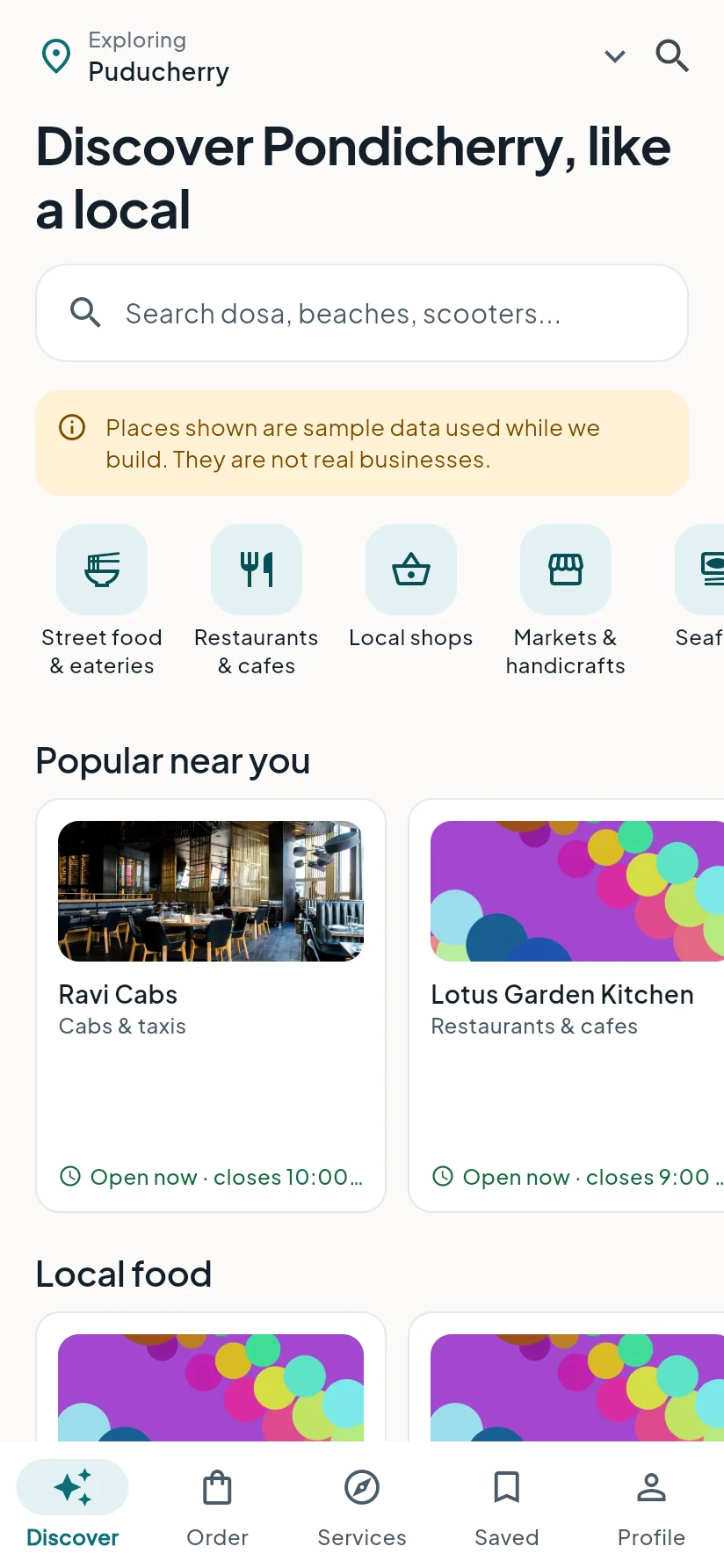
| Tab | What it is for |
|---|---|
| Discover | Places near you, grouped by type. Start here. |
| Order | Restaurants and seafood sellers you can order from. |
| Services | Buses, cabs and guides, and your requests. |
| Saved | Places you saved with the heart. |
| Profile | Your account, addresses, notifications and settings. |
Search and filters #
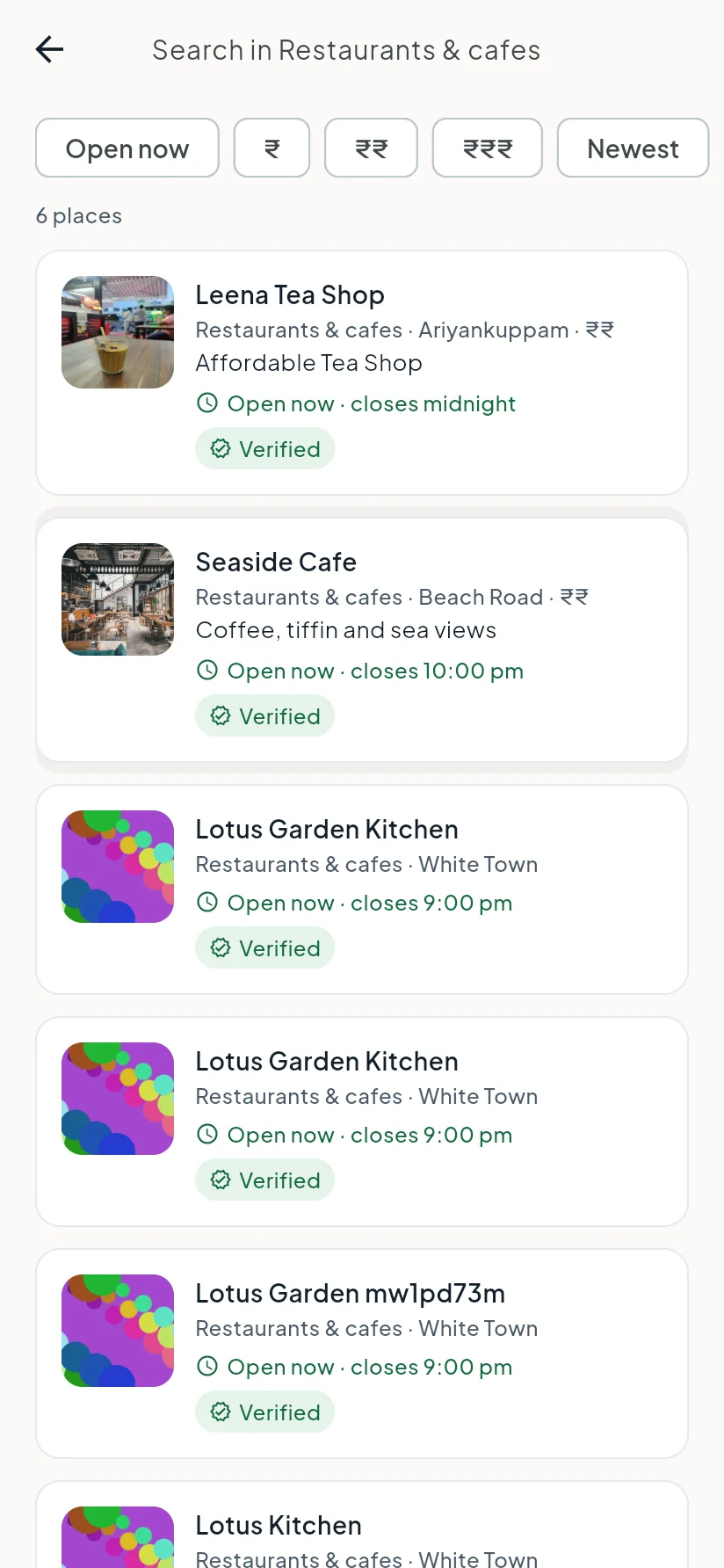
- Tap the search box at the top of Discover and type a name or a word such as "dosa" or "beach".
- Choose a suggestion, or press search.
- Use the filters to narrow the list: Open now, price level and sort order.
- Tap a place to open it.
You can also tap a category (for example Restaurants & cafes) to see everything in it.
A place page #
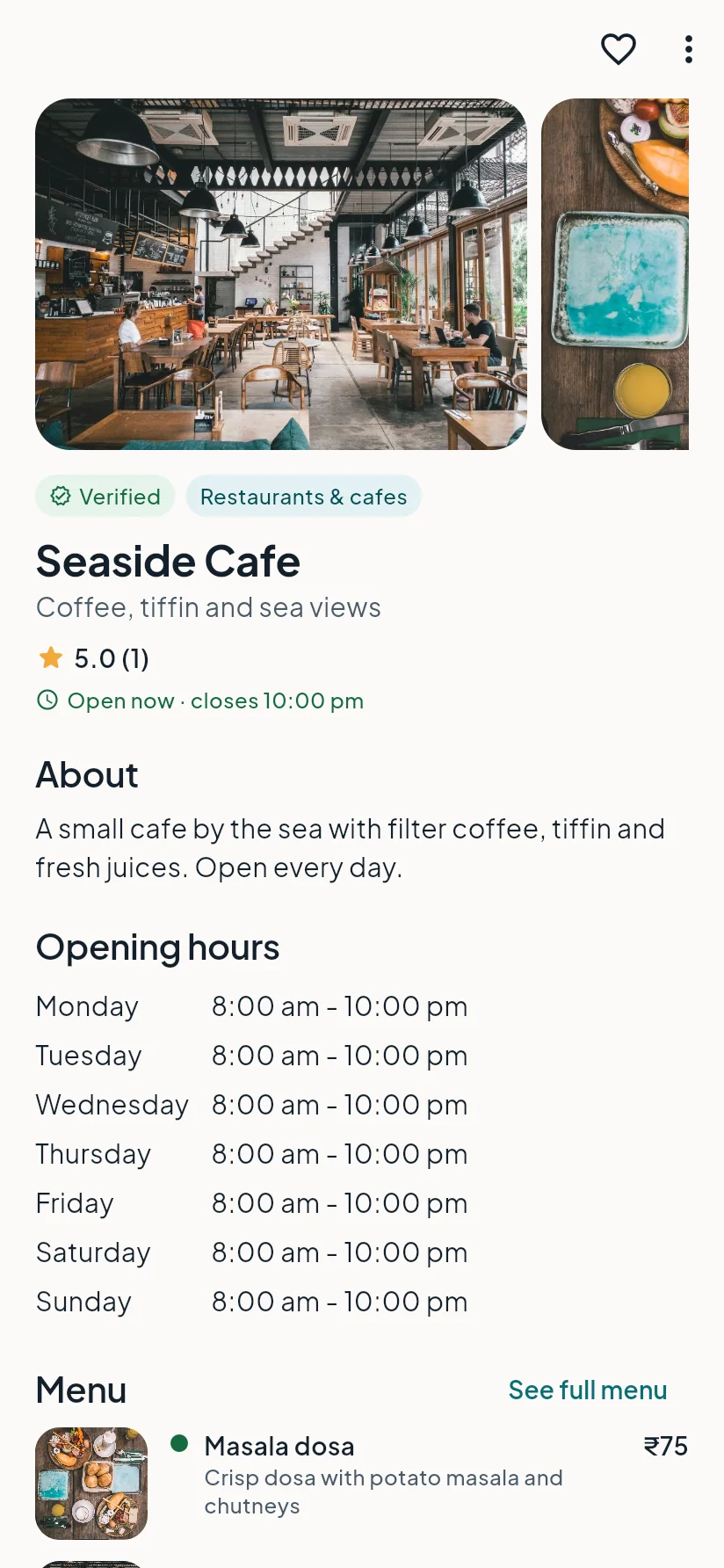
Each place page shows:
- Photos and a short description.
- Open or closed now, and the weekly opening hours. If a business has not confirmed its hours recently, the page says so.
- Address and directions. Tap Directions to open your maps app. Homestays show an approximate area, not the exact door.
- Phone or WhatsApp, if the business chose to show them.
- Menu with prices, if it has one.
- Reviews from other people.
- A Verified badge when ExploreZone's team has checked the business.
Last updated 2026-11-15. Something unclear or out of date? Write to hrdoisoftwares@gmail.com or call 6383281461.